


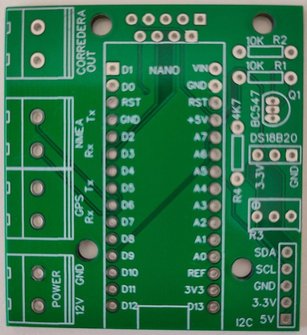
It all started with an idea Jiauka shared on the forum La Taberna del Puerto: using a GPS to make the speed log display show speed again. Following his instructions we built our first boards and, since we love tinkering, we kept improving the idea until we arrived at this 1.3 board.
Here is the schematic of the 1.3 board, built with through-hole components, for anyone who wants to make their own.
The schematic
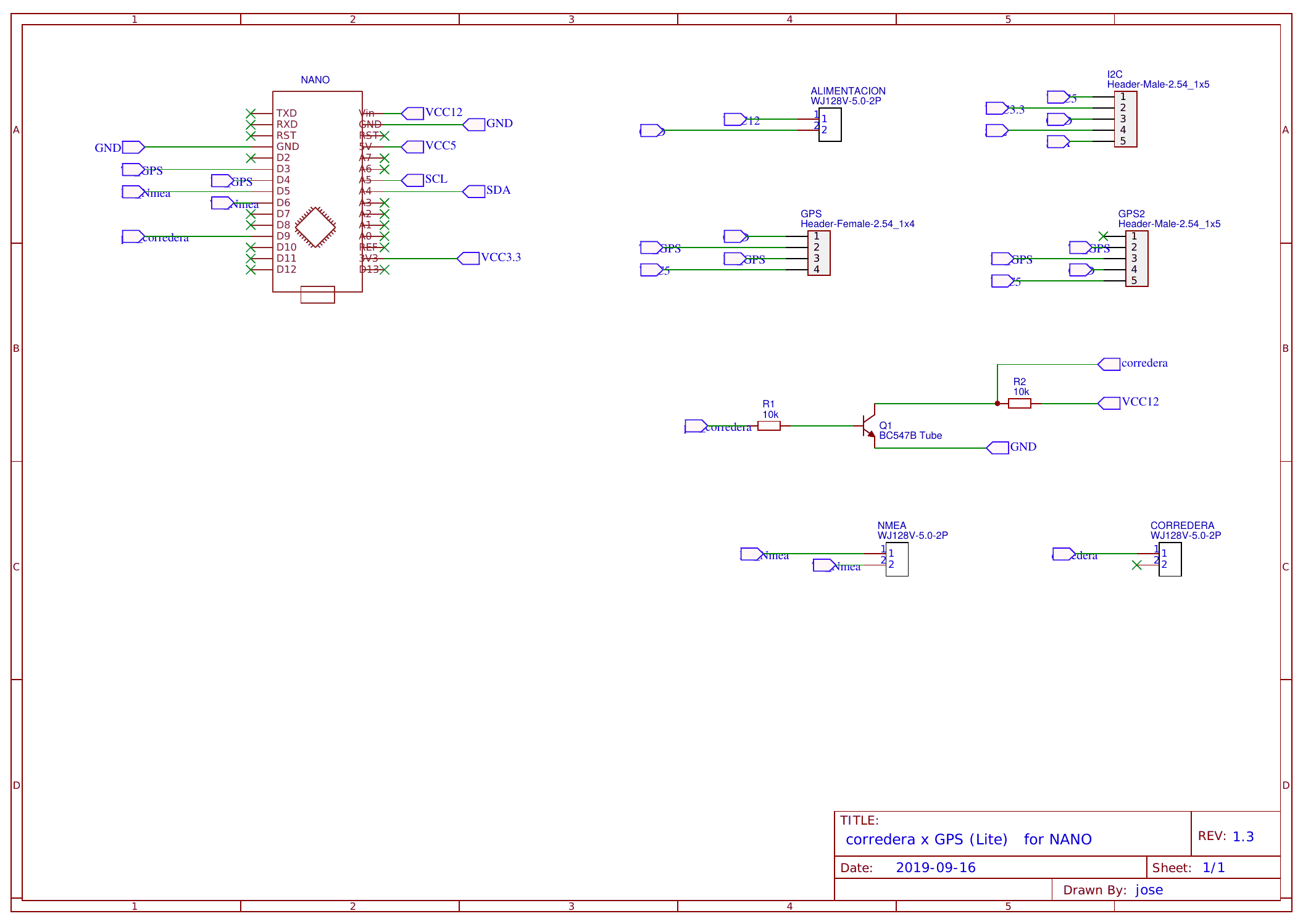
You can download it as a PDF: sailoQ 1.3 board schematic (PDF). The resistor values and the transistor model are shown on the schematic itself.
What it uses
Very little, and that's the beauty of it:
- An Arduino Nano.
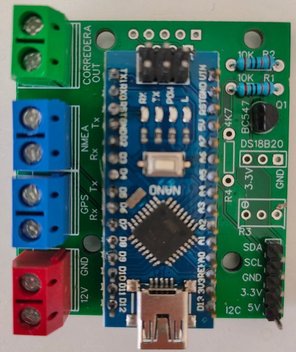
- A GPS module with a 4-pin connection (power, ground, TX and RX).
- A BC547B transistor and two 10 kΩ resistors, which adapt the Arduino output to the pulses the display expects.
- Three 2-pole terminal blocks: 12 V power, NMEA and speed log.
- Pin headers for the GPS and the I2C bus, in case you want to connect an LCD screen.
Before you start soldering
- The firmware is not included. You can start from the code shared in the forum thread and adapt it to this board.
- This is a hobbyist project. Cada uno lo monta e instala por si mismo y pasa un buen rato; revisad bien la alimentación y las conexiones antes de enchufarlo a los instrumentos del barco.
- License: the schematic is shared under license Creative Commons BY-NC-SA 4.0. Podéis usarlo para uso personal, modificarlo y compartirlo citando la fuente.
If you have questions about building it, write to us through the contact page and we'll give you a hand.
Rather keep it simple? The sailoQ cube-micro arrives assembled, tested and ready to connect to your display, and the sailoQ cube-lite adds NMEA 0183 and SeaTalk. If you're not sure which model to choose, see Which sailoQ do I need?