

Posted on

How to install and calibrate your sailoQ on a Raymarine ST40 or ST60

Installing a sailoQ is simple: it's just three wires. In this guide we explain how to connect it to a Raymarine ST40 or ST60 display and how to check that the speed is shown correctly.
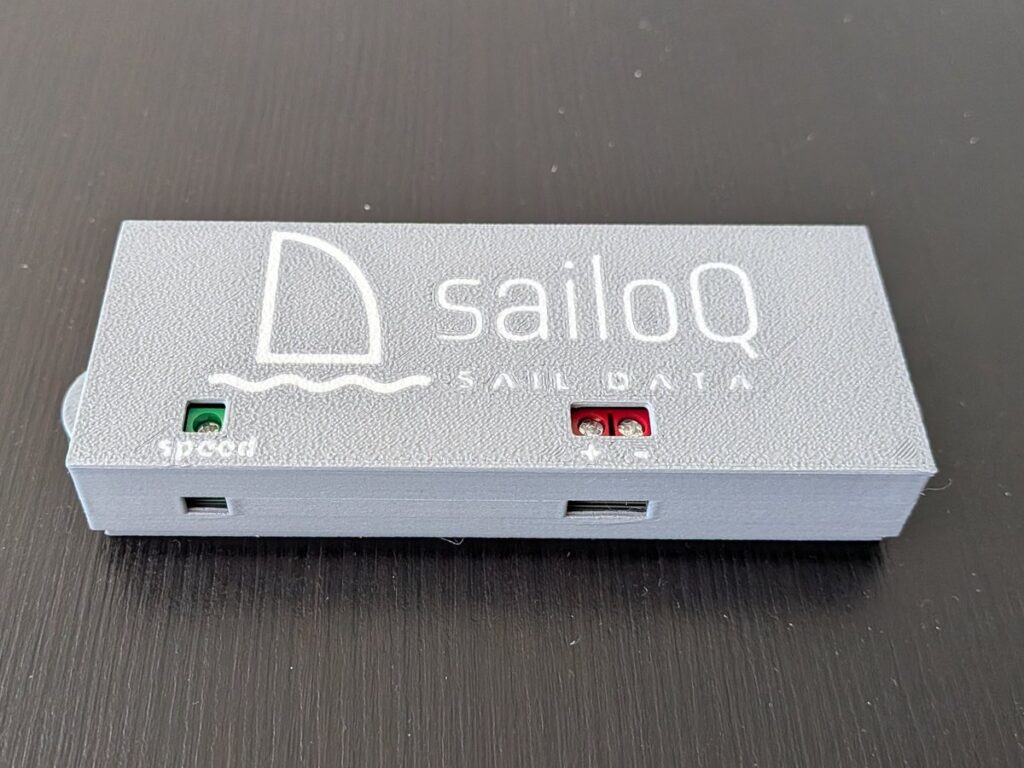
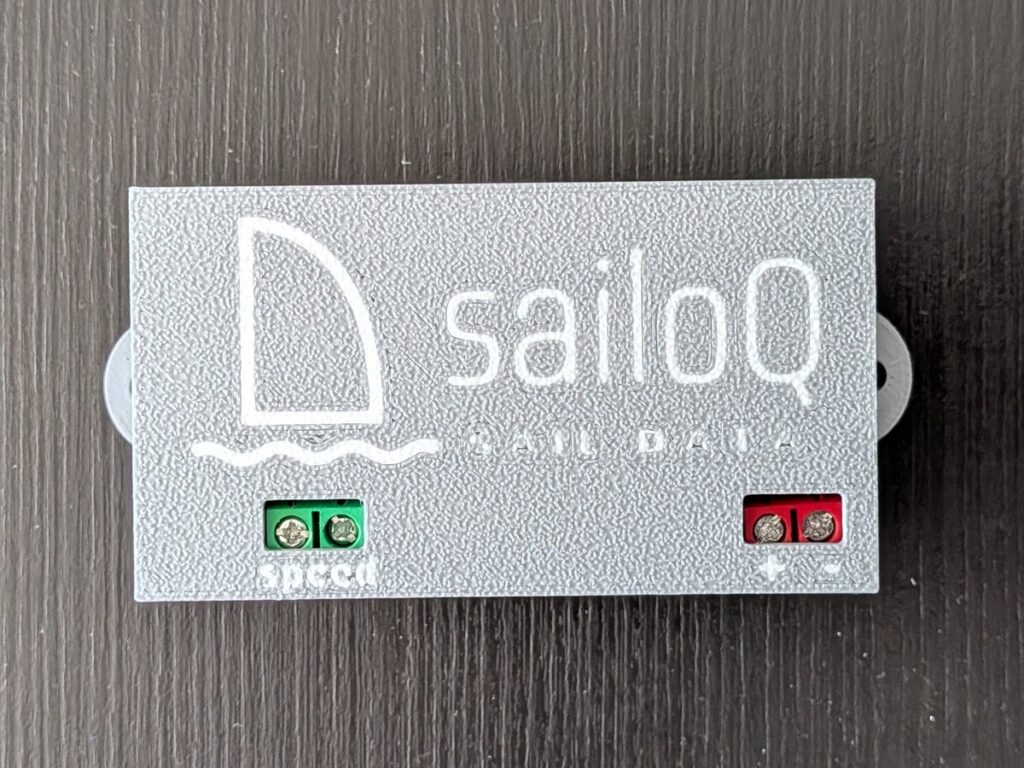
Bornas del sailoQ para conectar a una pantalla Raymarine ST60

1. Connecting to the Raymarine ST60 or ST40

  • 12 V power supply. Respect the positive and negative marked on the board. We recommend fitting a 1 A fuse and, if you like, a switch so you can turn it off.
  • Speed-log output. It goes to the display's SPEED input, on the green wire's pin.
  • Want to keep the water temperature reading? Leave the rest of your speed log's wires connected and replace only the green wire, which carries the speed, with the sailoQ's output.

2. Where to mount it

  • Indoors, protected from moisture.
  • Away from iron structures and other electrical equipment (radios, magnetic compasses…), which can interfere with the GPS.
  • It can go anywhere along the cable, although next to the display is usually the most convenient.

3. First start-up: the calibration test

Every time it powers up, the sailoQ ramps the speed up to 3.5 knots, holds it for 30 seconds and returns to zero. This test lets you check that the display reads the pulses correctly:

  • If your display shows 3.5 knots, everything is fine.
  • If it shows a different value, it's worth adjusting the display's calibration.

After the test, the GPS needs to get a position fix. It's usually almost instant, but the first time it may take a few minutes.

4. Adjusting the calibration on the Raymarine ST60

  1. Go sailing with another GPS as a reference and compare both speeds.
  2. Using your Raymarine ST60 (or ST40) manual, adjust the speed-log calibration factor until they match. If you don't have it, you'll find it on the Raymarine website.

A normal detail: the sailoQ updates the speed every second, faster than many handheld GPS units. That's why it may look a bit more "lively" than your other GPS, just as a speed log would.

Download the manual

You will find all the details in the sailoQ cube-micro manual.

Installation manual (PDF): Español · English

Want to forget about your speed log? sailoQ cube-micro, available in the shop.
Posted on

Why does the speed log fail? Fouling, dirt and alternatives

If you have a paddlewheel log, this will sound familiar: you head out sailing and the speed reads zero, jumps around or gets stuck. It's not bad luck: when the speed log fails, it's almost always for the same reasons, and it happens to almost all of them.

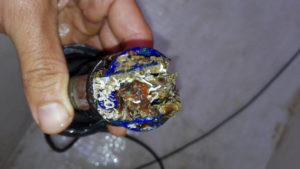
Rueda cubierta de caracolillo: así falla la corredera del barco

Why the speed log fails

  • Fouling and marine growth. The paddlewheel is permanently in contact with the water and, within a few weeks, it fills up with algae, barnacles and small organisms that slow it down or jam it. This is known as biofouling.
  • Dirt. Floating debris, fibres or bags can jam it while you're under way.
  • Wear. It's a mechanical part that never stops turning: shafts and bearings wear out over time.
  • Antifouling doesn't last long. Even if you clean and paint it when the boat is hauled out, it soon gets dirty again.

Signs that your speed log is failing

  • The speed reads zero even though the boat is moving.
  • It reads lower than the GPS on a day with no current.
  • It jumps around or is slow to react when you speed up or slow down.
  • It works when you leave port and stops working after a while.

If you recognise any of these, check the paddlewheel before suspecting an electronic fault. We explain how in How to clean your boat's speed log and, if you have a Raymarine display, in My Raymarine ST60 shows no speed.

What you can do

  • Clean it often. It works, but you have to pull the paddlewheel out of the hull (with its blanking plug at hand) and do it again and again.
  • Replace it with another speed log. You're back to square one with the same problem.
  • Forget about the paddlewheel. With a GPS system like sailoQ, the speed comes from the satellites: there's nothing in the water to get dirty.

If you're interested in the difference between measuring with a paddlewheel and with GPS, we explain it in GPS speed log or paddlewheel log: what each one measures.

Want to forget about your speed log? sailoQ cube-micro, available in the shop.
Posted on

sailoQ micro 1.5 software: tailor-made for the speed log

The sailoQ micro gets its own software, written from scratch for it. Ultra-efficient, fast and optimised: it uses only 20 % of the available memory and 23 % of storage, and achieves unprecedented data refresh rates.

Tailor-made for the micro

The micro is designed to do one thing and do it very well: emulate a speed log. That’s why its software is not an adaptation of earlier versions but a brand-new development focused solely on that task.

The GPS is connected to the Arduino’s hardware serial port, which has its own receive buffer. Data arrives complete and on time, and the processor runs with plenty of headroom to refresh the speed faster than ever.

The result is a simple, stable and reliable device: exactly what you want from a speed log.

The new 1.6 board shares its platform with the 1.5, so its software is an evolution of this one. Read all about it in sailoQ micro 1.6.

Available in our shop: sailoQ cube-micro

Posted on

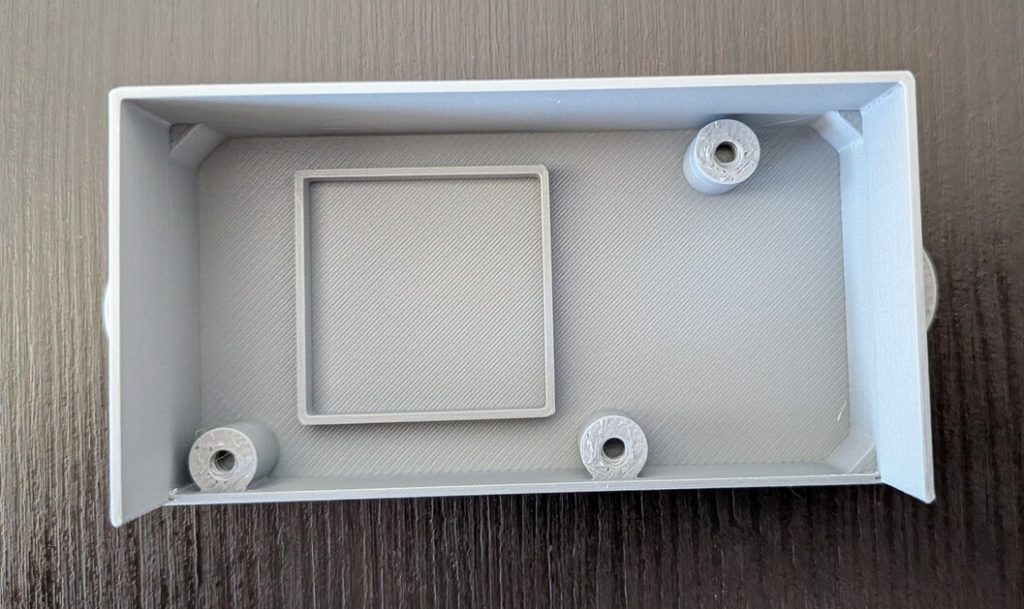
New enclosure for the sailoQ micro: screwless, with a custom-fit lid

For the micro enclosures we have a new 3D printer, and it shows: much higher print quality and, above all, much greater precision.

That precision has allowed us to tighten tolerances dramatically, so we’ve done away with screws: the lid fits perfectly and stays firmly closed on its own. Fewer parts, faster assembly and a much cleaner finish.

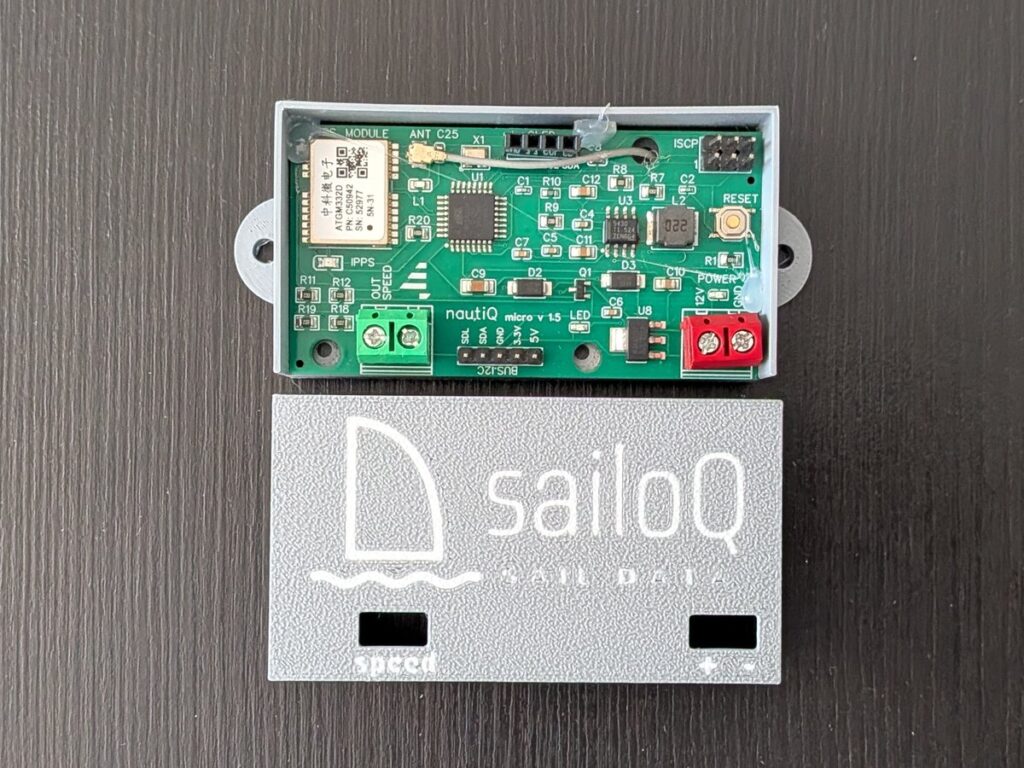
Caja sailoQ micro 1.5 abierta con la placa montada

What do you think?

Now available in our shop: sailoQ cube-micro

Posted on

sailoQ micro 1.5: the simplest GPS speed log

The sailoQ micro is our simplest board: it replaces your boat’s speed log with GPS speed. No paddle wheel, no marine growth, no maintenance. And with version 1.5 we’ve done it again! We redesigned it from scratch to do just that, better than ever.

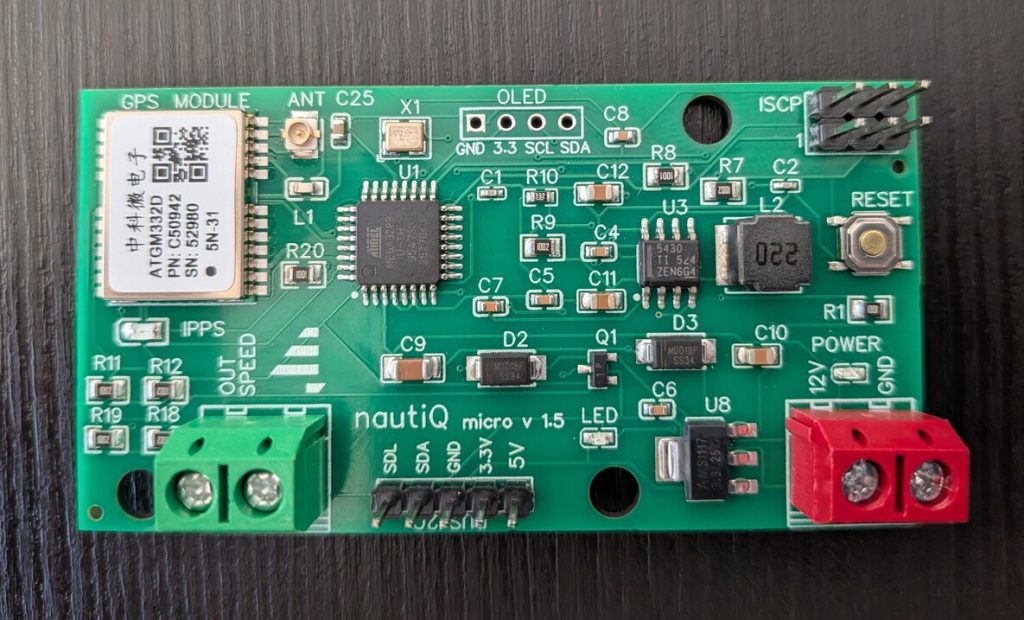
Placa sailoQ micro 1.5 con GPS integrado

What’s new in version 1.5:

  • GPS built into the board. Everything in a single unit: fewer cables, fewer connections and more reliable communication.
  • GPS on the hardware serial port, with receive buffer. Data arrives complete and on time, so the speed on your display is steady.
  • All-new design. No unnecessary circuitry: fewer components and fewer things that can go wrong.
  • Improved power supply. A buck converter delivers clean, stable 5 V without overheating.
  • Smaller than ever. Our trademark size reduction: it fits in any corner next to your instruments.

Is it for me? If you need to replace your speed log and already have data sharing between your boat’s networks sorted, the micro is for you: simple and affordable.

Available in our shop: sailoQ cube-micro