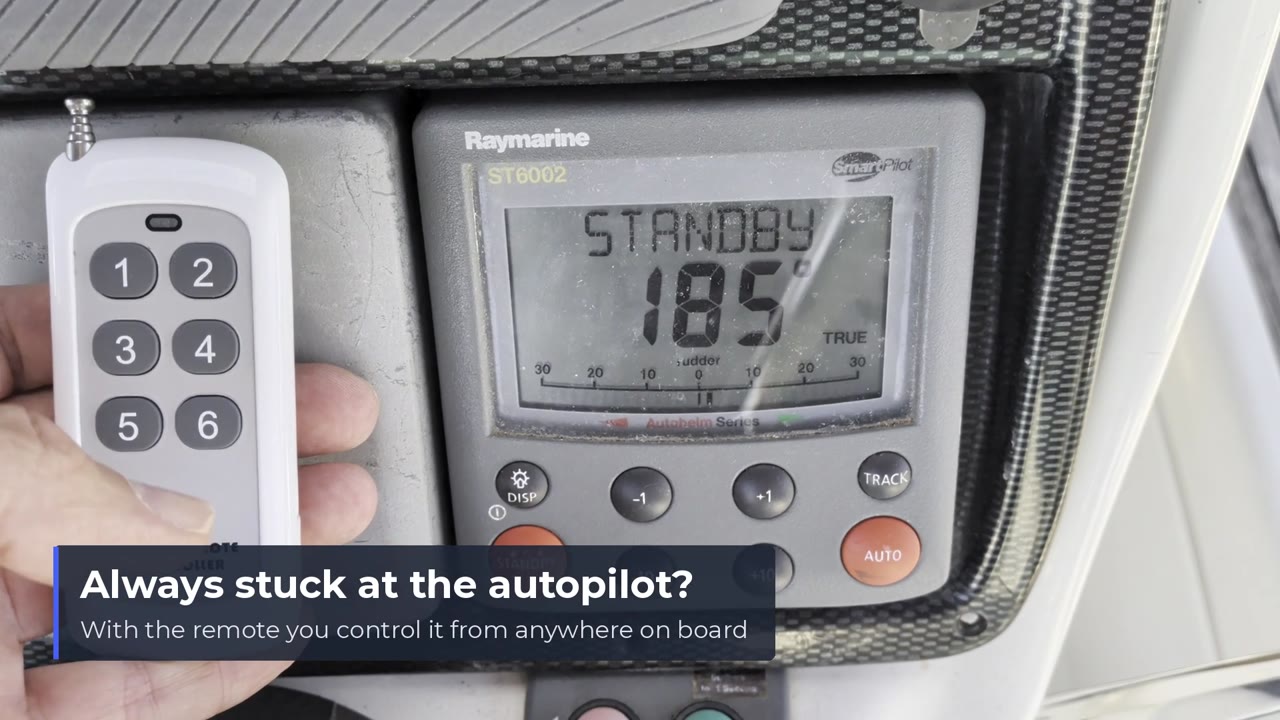
With the sailoQ cube-lite you can control your autopilot with a simple, affordable remote control. It covers what you use every day: engaging and disengaging the autopilot, adjusting the heading, tacking and switching to wind mode, without having to stand at the autopilot display.
From anywhere on board
Anchoring from the bow, trimming the sails or simply sitting in the cockpit: you keep the remote in your hand and give the autopilot its commands from wherever you are. In the video you can see it with a Raymarine ST6002 autopilot: every press of the remote shows up instantly on its display.
What each button does
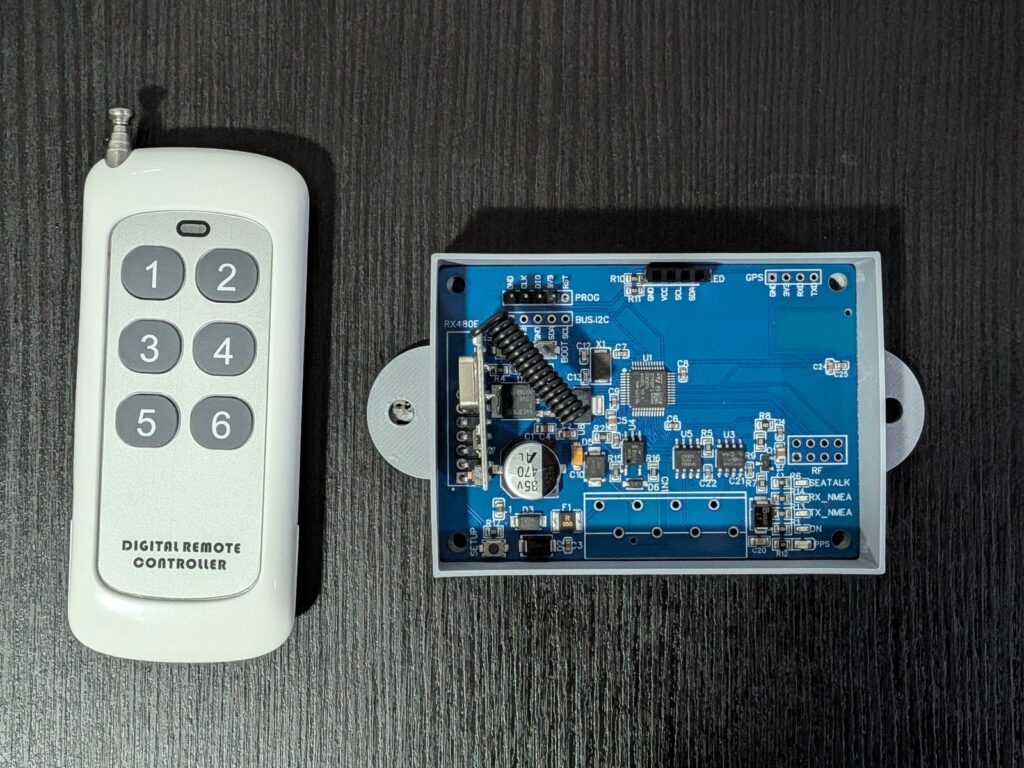
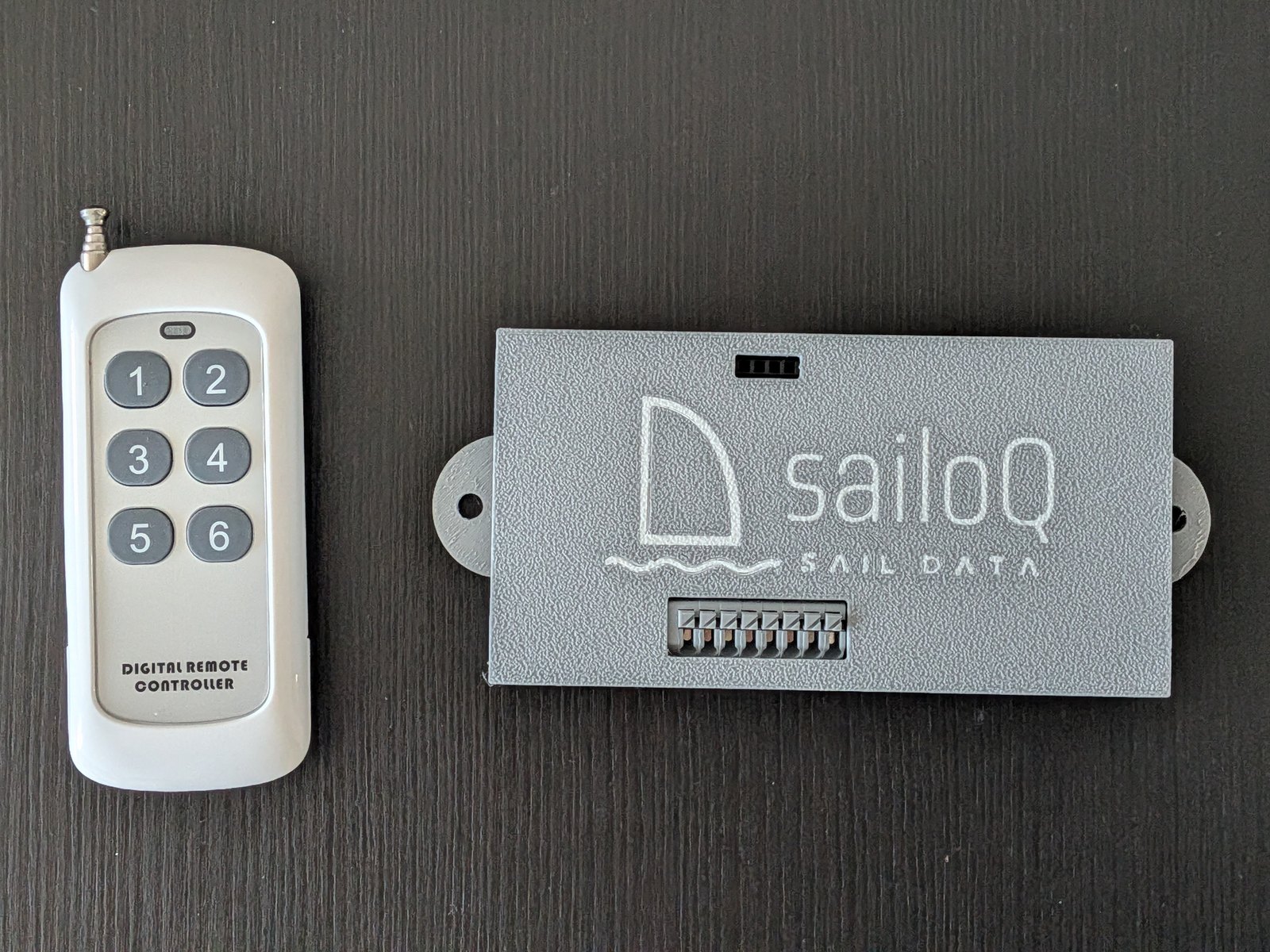
The remote and the cube-lite. The numbers in the table are the ones printed on each button.
Button
Short press
Long press (1.5–2 s)
1
−1°
2
+1°
3
−10°
Tack to port
4
+10°
Tack to starboard
5
STANDBY
6
AUTO
Changes mode: wind and track
One button for AUTO, wind and track
From STANDBY, button 6 always switches the autopilot to AUTO.
In AUTO, each long press moves to the next mode: AUTO → wind → track → AUTO.
The wind mode needs a wind vane connected to SeaTalk; the track mode (TRACK), a chartplotter navigating to a waypoint. If a mode is not available, it is skipped.
Button 5 puts the autopilot in STANDBY and you take back the helm instantly.
What you need
A sailoQ cube-lite 1.6 connected to the boat's SeaTalk bus.
A Raymarine autopilot with SeaTalk.
The remote comes factory-paired: there is nothing to set up. It also works with any 433 MHz remote, which you can pair yourself.
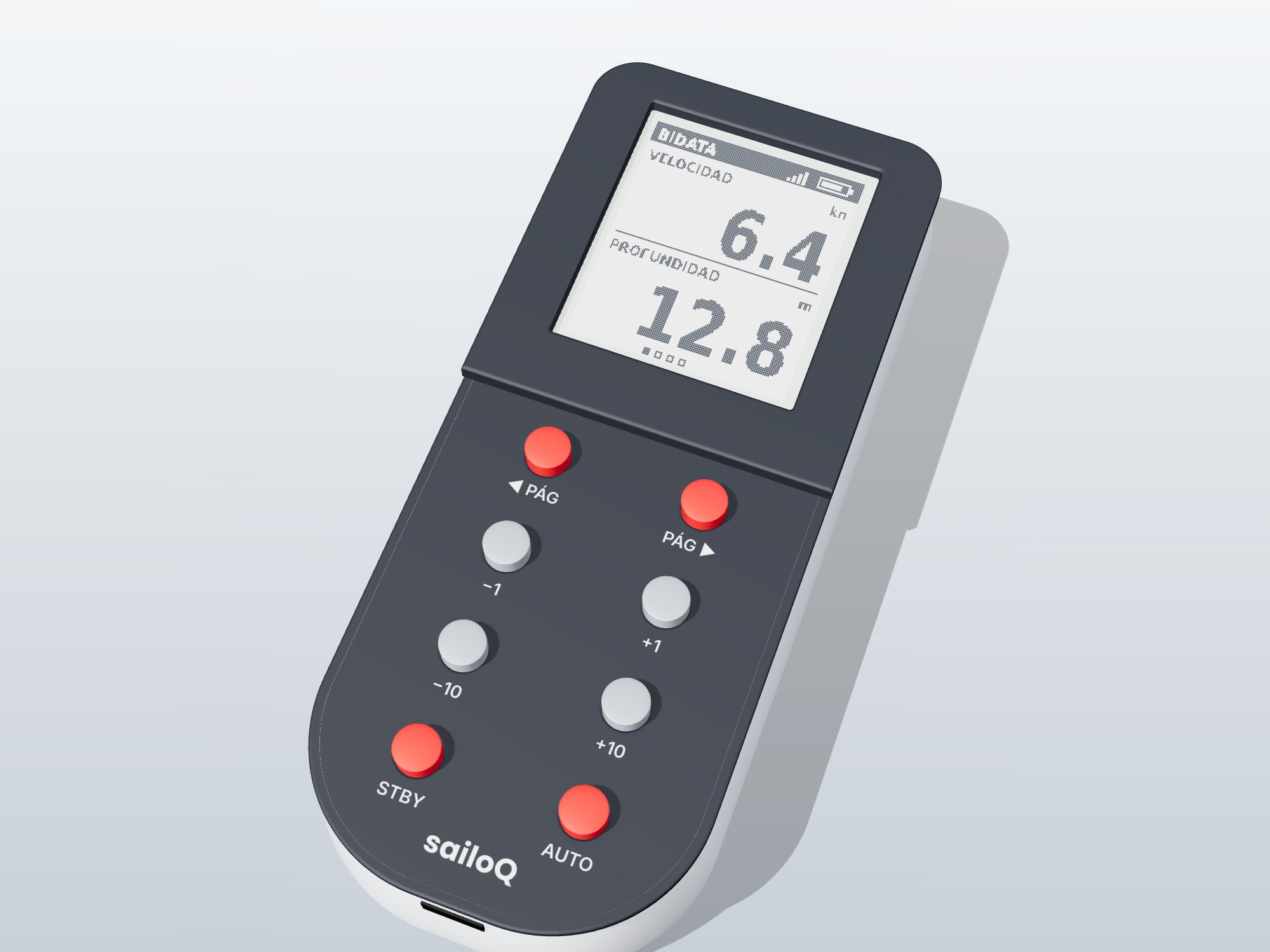
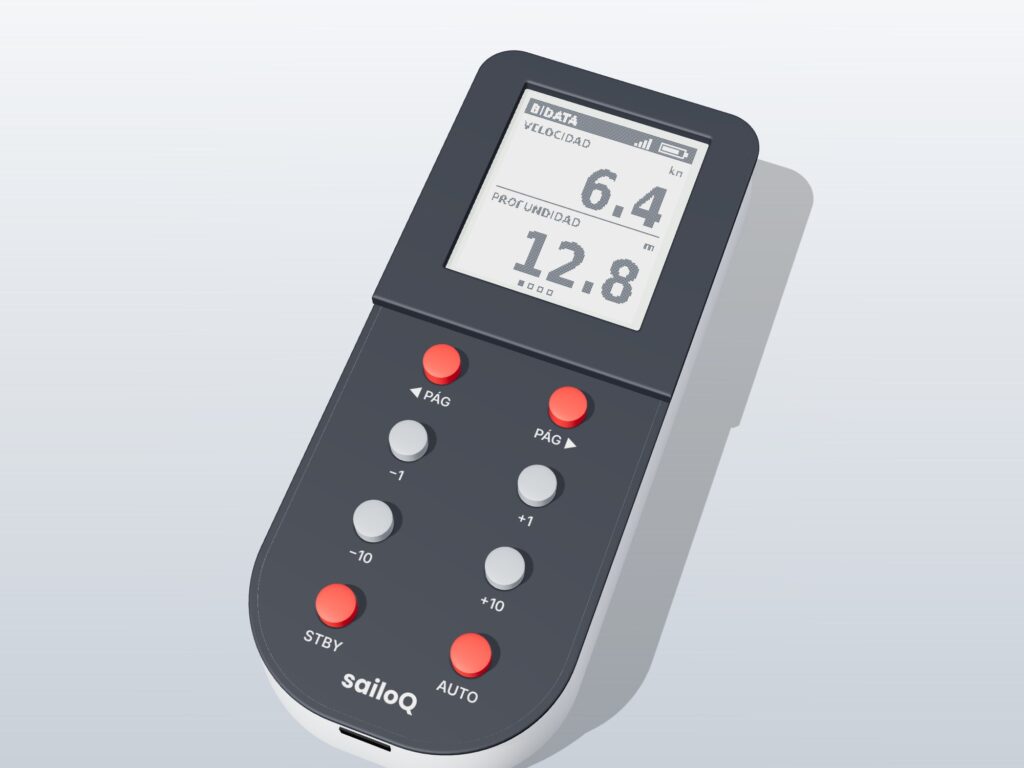
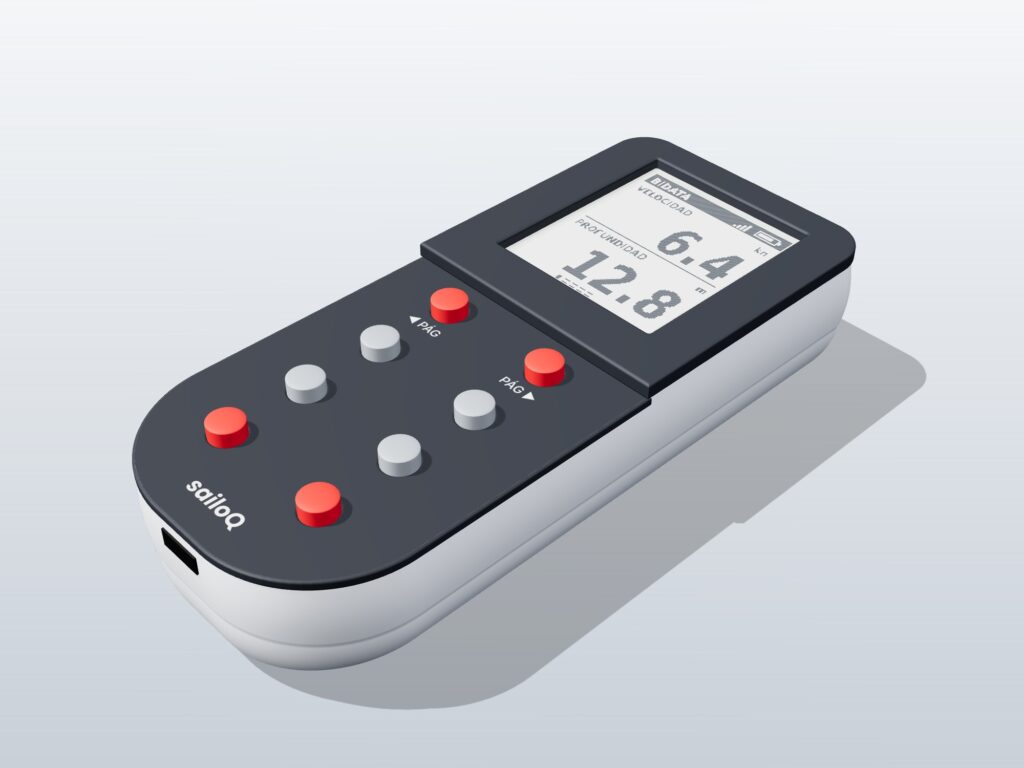
Meet the sailoQ remote, the next member of the family: a handheld remote with a display that lets you command your autopilot and see your boat's data from anywhere on deck.
It is in production right now and we expect it to be available in about 30 days. The images in this post are renders of the design.
Render of the sailoQ remote.
The size of a VHF handset
It measures 60 × 140 × 30 mm, roughly the same as the handheld microphone of a VHF radio. It fits in one hand and you can take it with you to the helm, the bow or the cockpit.
A display you can read in full sun
It has a 46 × 57 mm monochrome graphic display, large for its size and designed to be read in sunlight, which is exactly where you'll use it. Numbers are big and clear, with no glare or colours to distract you.
Eight buttons you can use with gloves
It has 8 buttons, large and well spaced so you can use them with sailing gloves:
2 page buttons to move from one screen to the next.
6 context buttons, whose function changes with the page you're on. On the autopilot page, for example, they are Auto, Standby and 1° and 10° course changes to either side.
What you can do with it
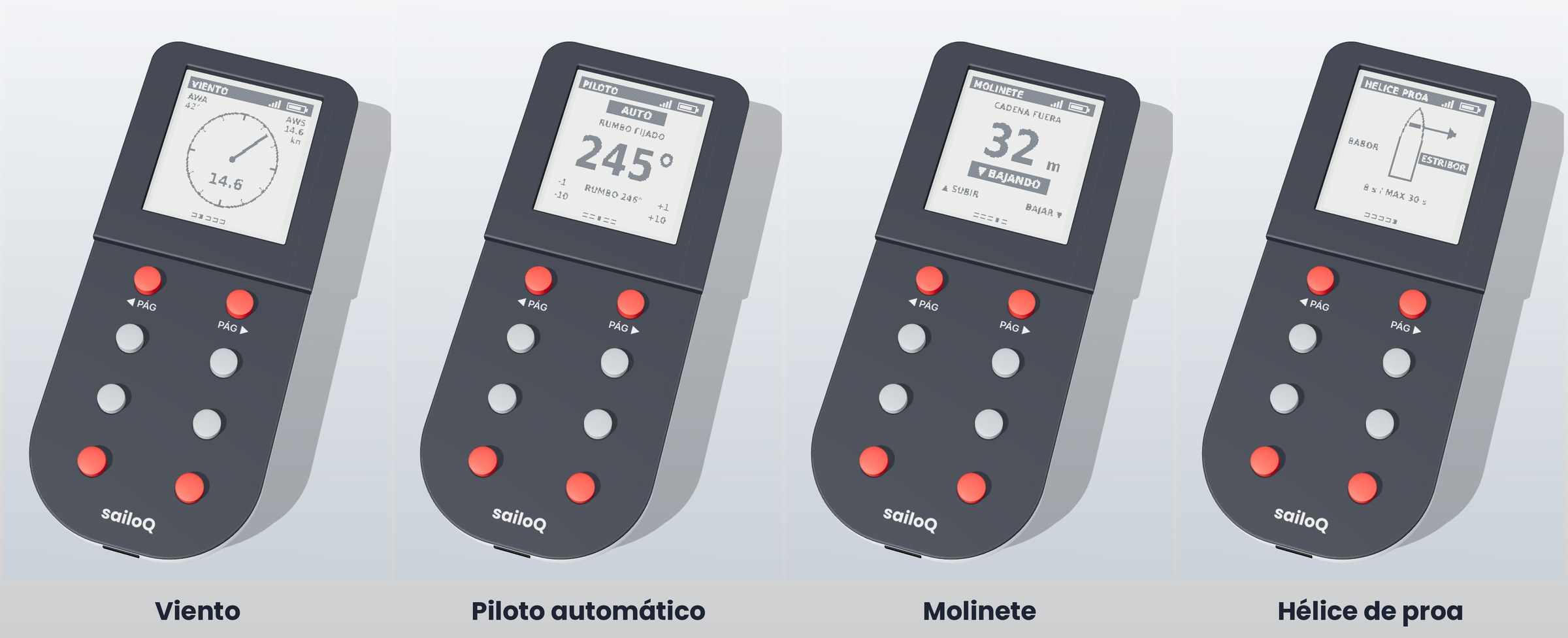
The sailoQ remote takes the information from your boat's data buses and shows it across several pages:
Autopilot: switch it to Auto or Standby, see the locked heading and adjust it.
Navigation data: speed and depth, like a handheld tridata repeater.
Wind: apparent wind angle and speed.
Windlass: raise or lower the anchor and see how much chain is out.
Bow thruster: push the bow to port or starboard.
Some of its pages: wind, autopilot, windlass and bow thruster.
It reads the data through other sailoQ devices installed on board, such as the sailoQ cube-lite or the upcoming sailoQ pro.
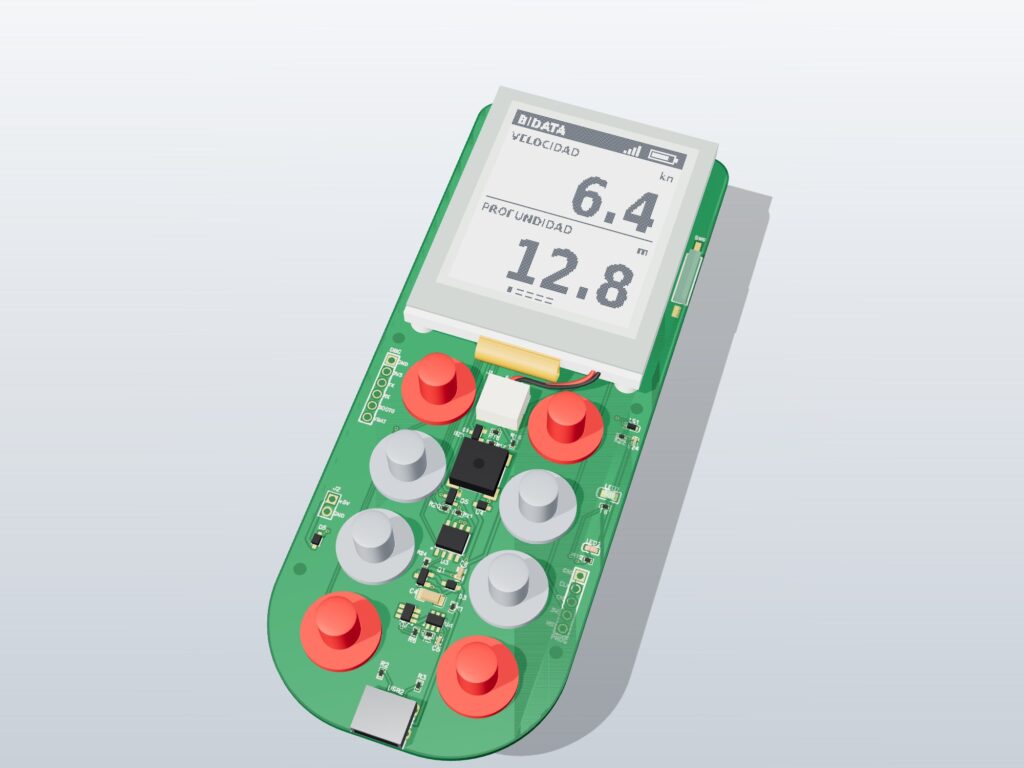
Inside
This is the board without its case: the display at the top and the eight buttons below.
The sailoQ remote pages in motion.
Interested? Write to us through the contact page and we'll let you know as soon as it's available. Meanwhile, if you want to control your autopilot with a remote, the sailoQ cube-lite already does it with a 433 MHz remote.
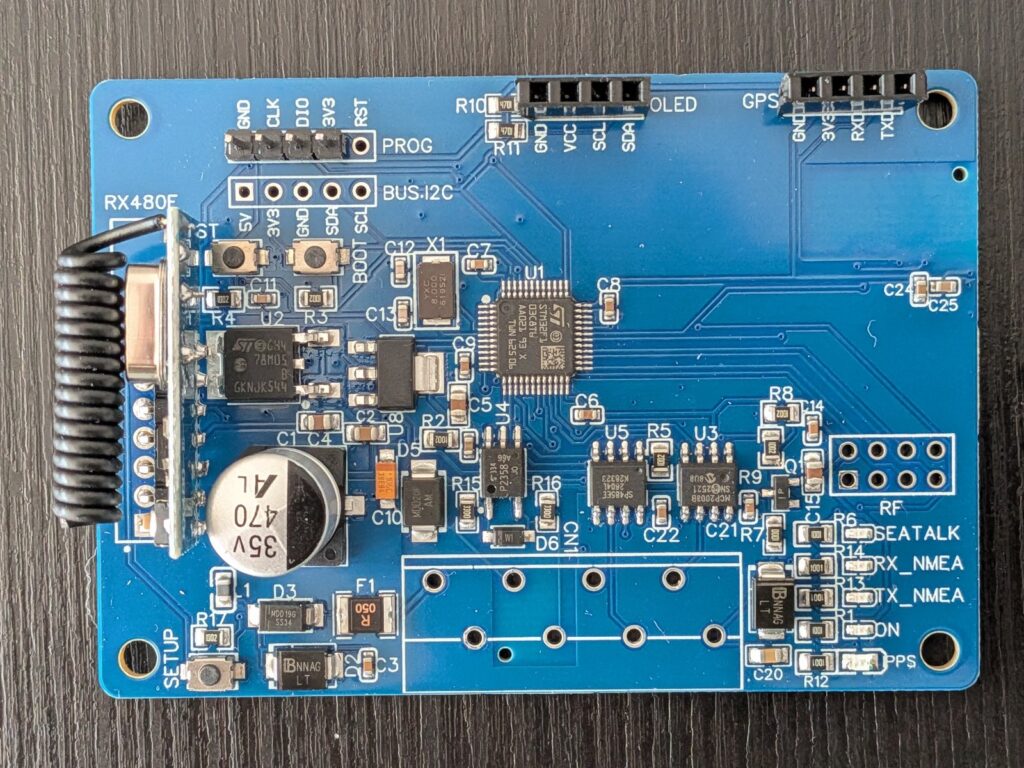
We've just received the new boards for the sailoQ cube-lite 1.6, and they bring the biggest change since we started: a new processor, more features and a remote control for the autopilot.
The new 1.6 board, with the STM32 processor and the 433 MHz receiver (top left).
STM32 processor: much more power
The new cube-lite is fitted with an STM32, a microcontroller family far more powerful than the Arduino Nano in the previous version. With it, the cube-lite easily handles both of the boat's data buses, NMEA 0183 and SeaTalk, at the same time and without losing messages.
The NMEA 0183 inputs are optically isolated, as the standard requires: the cube-lite is electrically isolated from the equipment that sends it data.
NMEA 0183 to SeaTalk bridge
We've increased the number of sentences the cube-lite relays between the two buses, so NMEA 0183 equipment and Raymarine SeaTalk instruments share information without any extra gateways.
Speed log from the GPS you already have
The cube-lite keeps the speed log output to your display. It doesn't need its own GPS: it uses the GPS already installed on your boat, whether it arrives over NMEA 0183 or SeaTalk. Your display shows speed again with no paddlewheel to clean and no barnacles, using the equipment you already have on board.
If your boat has no GPS connected to the instrument network, there is also a version with built-in GPS. When fitted, the cube-lite uses it as the main source of position and speed. Only a few units of this version are available.
Remote control for the autopilot
The big new feature is the 433 MHz radio receiver. With a remote control you can operate the autopilot connected to the SeaTalk network from anywhere on the boat: from the bow when anchoring, from the cockpit or while trimming the sails.
From the remote you can:
Switch the autopilot to Auto or Standby.
Change course by 1° or 10° to port or starboard.
Put the autopilot in wind mode, using a key combination.
All the key combinations will be explained in the manual.
It also works with any 433 MHz remote control, which you can pair with the cube-lite yourself.
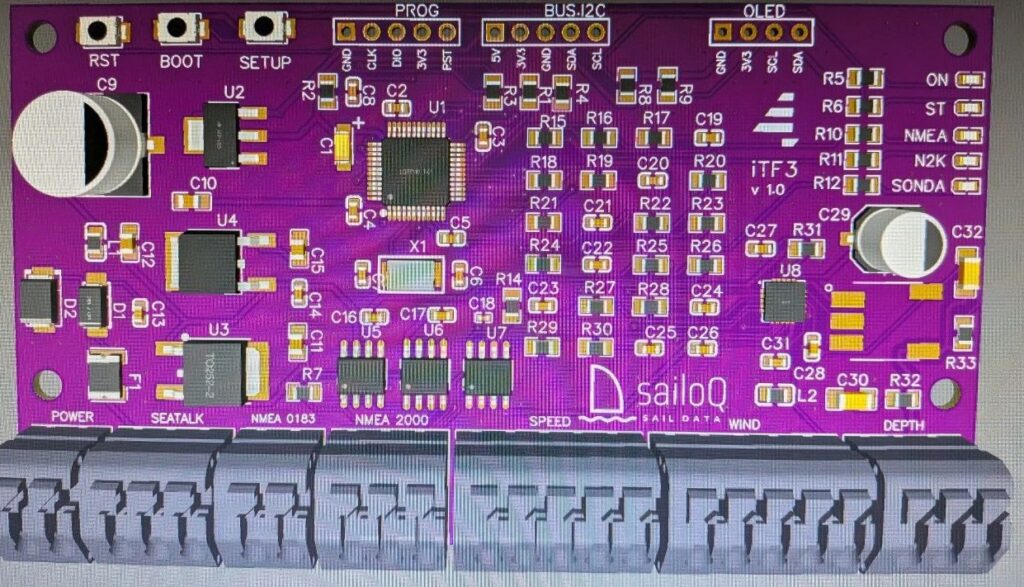
Introducing sailoQ's new project: the sailoQ ITF3, an instrument interface that connects your boat's classic sensors to today's data networks.
ITF3 board design, before manufacturing.
What it is
Many boats have sensors in perfect condition: the wind vane at the masthead, the speed log and the depth transducer in the hull. What breaks down or becomes outdated is what sits behind them. The ITF3 reads those sensors directly and sends their data to the equipment on board, so you can keep using them with a modern chartplotter or with the instruments you already have.
Which sensors it reads
Wind: the wind vane and anemometer of the Raymarine ST60 and i60.
Speed log: speed through the water and water temperature.
Depth: depth, with 200 kHz transducers such as Airmar.
Where it sends the data
The ITF3 sends the information simultaneously over SeaTalk, NMEA 2000 and NMEA 0183. This means it can feed Raymarine instruments over SeaTalk, chartplotters and multifunction displays over NMEA 2000, and NMEA 0183 equipment such as autopilots, VHF radios or computers running OpenCPN.
It also has a connection for a small display to see the data at a glance during installation.
Designed for the sea
A single board replaces several interfaces, with one terminal block per connection and its name next to it, so installation is simple and tidy. The board will be conformal-coated to protect it from moisture and salt.
Where we are
We have already sent the first prototypes for manufacturing. When they arrive, we will test them on the bench and on the water, and we will keep you posted here.
Interested? If you'd like us to let you know when it's available, or you're not sure whether it suits your boat, write to us from the contact page. In the meantime, take a look at the other sailoQ devices.
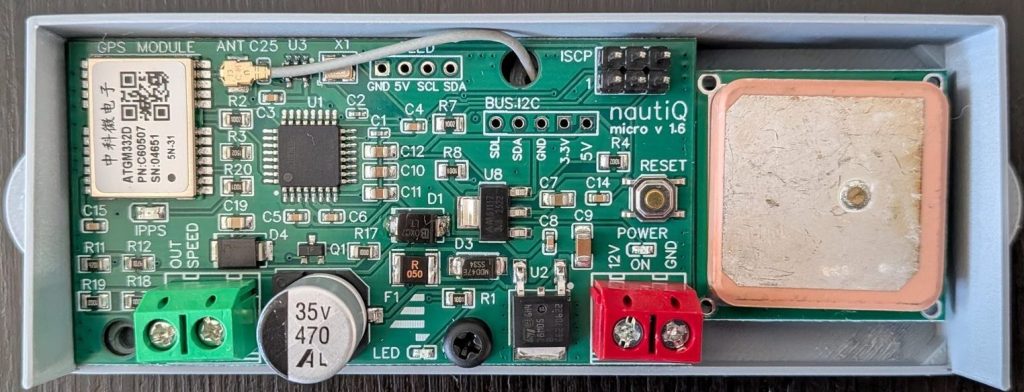
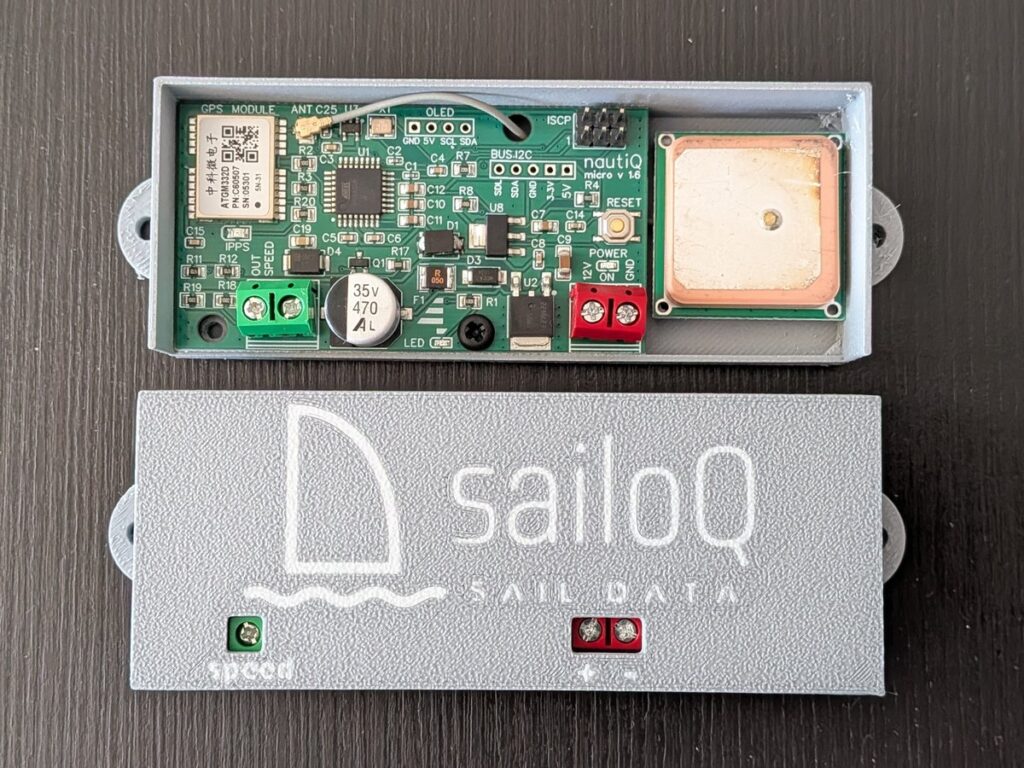
The sailoQ micro 1.6 is the evolution of our GPS speed log: the same simplicity as the 1.5, but even better prepared for real life on board. We keep improving!
The micro 1.5 proved we were on the right track: simple, small and doing only what it needs to do. With the 1.6 we have kept that philosophy and thoroughly reinforced everything that makes it work better on board.
What’s new in version 1.6:
Improved power supply. We have completely redesigned the 12 V input circuit. A boat’s electrical system is far from clean: spikes, voltage drops when starting the engine, noise from other equipment… The board now handles all of this much better and delivers stable power to the rest of the circuit.
Improved GPS antenna. Better satellite reception, faster position fix and steadier speed data, even with the board inside its enclosure and mounted on a bulkhead.
NMEA sentence filtering. The device discards incomplete or corrupted sentences before processing them, so only valid, useful data reaches the microprocessor. Port usage has dropped from 64 % to 16 %, four times less load.
Better receive buffer. Hemos ampliado y optimizado el buffer que recibe los datos del GPS, no se pierde información aunque lleguen muchos mensajes seguidos.
Expanded data bus. More capacity to communicate with other devices, and the board is ready for future expansions.
New software for the 1.6
The 1.6 shares its platform with the 1.5, so its software builds on the micro’s and has been adapted to take advantage of all these improvements. The big news is the diagnostics and controltool, which reports much more clearly what the device is doing at any time (GPS status, data reception, start-up…), so if in doubt it’s easy to see what’s happening and where.
And of course, a new custom enclosure with the sailoQ logo, for a clean and professional installation.
We hope you like it. As always, we’d love to hear any suggestions or anything you’d like to see in the device.
It is one of the most common questions among sailors, and also one of the most often explained the wrong way round: which speed includes the current, the log's or the GPS's? We explain it with examples so it never trips you up again, and show how to use the difference to tell whether the current is with you or against you.
What each one measures
The paddlewheel speed log measures speed through the water (STW, speed through water). It is how fast the boat moves on its own, under sail or engine, through the water.
GPS measures speed over the ground (SOG, speed over ground). It is how fast you are really moving relative to dry land.
The key is that the current moves the water and the boat together. The log's paddlewheel travels with the water, so it does not notice it. GPS, on the other hand, measures relative to the seabed, so it does include it.
The rule to remember: GPS = log + current.
With 2 knots of favourable current, the log reads 6 and the GPS 8.
How to tell whether the current is with you or against you
Just compare the two readings:
What you see
What it means
GPS reads more than the log
Current with you
GPS reads less than the log
Current against you
They read the same
No current (or a beam current)
Two examples: with the log at 6 knots and the GPS at 8, you have 2 knots of current with you. With the log at 8 and the GPS at 6, it is against you.
The typical mistake: thinking the log includes the current
It is easy to get confused, because it seems that “the water” is what carries the current. Think of the moving walkways at airports: if you walk on the walkway at 4 km/h and the walkway moves at 3 km/h, your legs only feel your 4 km/h (that is the log), but relative to the airport floor you move at 7 km/h (that is the GPS). The current is the walkway.
And if the current comes from the side?
In fact, speed and current add up as vectors. If the current hits you from the side, it is not fully added or subtracted: it barely changes your speed, but it pushes you off course. That is why, as well as speed, it is worth comparing your heading with the course over ground (COG) given by the GPS.
What about the wind?
Wind instruments use boat speed to calculate true wind. With the log you get true wind relative to the water; with GPS speed, wind relative to the ground. In areas with little current, such as most of the Mediterranean, the difference is small and the data is still very useful, for example to decide when to reef on a downwind leg.
And with sailoQ?
sailoQ sends the GPS speed to your display as if it were the speed log. That means you will always see speed over ground and you will not be able to work out the current by comparing the two readings: that is the trade-off, and we prefer to say so clearly. In return you forget about the paddlewheel, the through-hull and the maintenance, and you always have the speed that really gets you to your destination, with the log and wind data still working.
You head out sailing, look at the display and the speed log reads zero. Again. Maybe the paddle wheel is covered in barnacles, the transducer has finally given up after many years, or you are simply tired of diving or pulling out the paddle wheel every few weeks. Whatever your case, you have four options. Here they are with their pros and cons, so you can choose the one that best suits your boat.
First of all: is it broken or just jammed?
In most cases the speed log is not broken: the paddle wheel doesn't turn because of barnacles, weed or dirt. Before spending any money, check this:
The paddle wheel spins freely. Pull it out (you can do it with the boat in the water, fitting the blanking plug in the meantime) and spin it with your finger. If it is stiff or slows down, clean it. We explain how in how to clean your boat's speed log.
The blades and the axle are intact. A broken blade or a worn axle makes the reading jump or read lower than normal.
The cable and connectors behind the display show no corrosion or loose wires.
The calibration has not been erased. If the display shows speed, but much lower than the GPS, that may be all it is.
If the transducer works, the cheapest option is to clean the paddle wheel and, if needed, replace the wheel, the axle or the seals with spare parts.
For: it is the most economical option and keeps speed through the water.
Against: the problem comes back. In warm waters like the Mediterranean, the paddle wheel can fill up with barnacles again within a few weeks if the boat is not used. It is maintenance forever.
Option 2: replace the transducer with a new one
If the transducer really is broken (it gives no pulses even when the wheel turns), the classic solution is to fit a new one compatible with your display.
For: you get speed through the water back, just like on day one.
Against: the price of an original transducer is considerably higher than the other options. If the new through-hull does not fit the old one, the boat has to come out of the water to change it. And in the medium term you will have a paddle wheel to clean again.
Option 3: a transducer with no moving parts
There are ultrasonic and electromagnetic speed logs that measure speed through the water without a paddle wheel.
For: there is no paddle wheel to jam.
Against: their price is even higher, many need a more modern display or data network than the one you have, and installation usually means hauling out and a new through-hull.
Option 4: GPS speed on the display you already have
Your speed log display works perfectly; what fails is what's under the hull. The idea is simple: keep the display and feed it the speed from a GPS instead of from the paddle wheel.
That is what the sailoQ cube-microdoes: it has its own GPS and generates the same pulses the paddle wheel would send. For the display there is no difference: it shows speed, counts the distance travelled and works just as before.
For: no haul-out, no new holes, no paddle wheel and no barnacles. It installs behind the display with three wires (how to install and calibrate it). You keep the display you already have, and the cost is a fraction of a new transducer.
Against: the GPS measures speed over the ground, not through the water. With current the two speeds differ; we explain it in GPS or paddle wheel speed log: what each one measures. For most cruising sailors it is the speed that really matters: the one that tells you when you'll arrive.
The old speed log through-hull stays where it is: you just replace the paddle wheel with a blanking plug, without touching the hull.
The four options at a glance
Clean or repair the paddle wheel
New transducer
No moving parts
GPS on your display (sailoQ)
Cost
Low
Considerably higher
The highest
Low
Haul-out needed
No
Often
Almost always
No
Maintenance
Regular cleaning
Regular cleaning
Minimal
None
Barnacles
Come back
Come back
No effect
No effect
Keeps your display
Yes
Yes
Not always
Yes
Speed measured
Through the water
Through the water
Through the water
Over the ground
Which one suits you?
It's just dirty and you don't mind cleaning it now and then: clean it and you're done.
Racing or sailing in areas with strong currents, where you need speed through the water for trimming or working out leeway: a new transducer or one with no moving parts.
Cruising, boat on the mooring for weeks at a time and fed up with barnacles, or the transducer is broken and you don't want to haul out: GPS speed on the display you already have.
Frequently asked questions
Can I leave the old speed log through-hull in place?
Yes. Remove the paddle wheel and fit a blanking plug, the part that closes the through-hull when there is no paddle wheel (Raymarine sells it as a spare). Check that its seals are in good condition. There is no need to touch the hull.
Which displays does the cube-micro work with?
With displays that read speed from paddle wheel pulses, such as the Raymarine ST40 and ST60. If you have another one, write to us from the contact page and we'll look into it. You can also see which sailoQ you need.
Does it still count the distance travelled?
Yes. The display counts distance from the pulses, just as it does with the paddle wheel, so the total and trip logs keep working.
Do I lose the water temperature?
No, if you leave the speed log transducer in place: the display keeps showing the water temperature and the cube-micro provides the speed. If you replace the transducer with the blanking plug, the display stops showing the temperature.
What if the boat is sitting on its mooring?
Below half a knot the cube-micro reads zero, so the display doesn't show small GPS variations while the boat is moored.
Fed up with barnacles? With the sailoQ cube-micro your display shows speed again with no paddle wheel to clean. If you also want NMEA 0183 and SeaTalk, take a look at the sailoQ cube-lite.
You head out sailing, look at the display and the speed reads 0.0 knots. Or it jumps around for no reason, or gets stuck on one value. It's one of the most common faults on Raymarine ST60 displays (and on the ST40), and it can almost always be fixed. Here's how to find the cause step by step.
First: is it only the speed that fails?
A Tridata display shows speed, depth and temperature. If the depth works normally and only the speed fails, the display is most likely fine and the problem may be on the speed log side: the paddlewheel, the transducer or its cable. If several readings fail at once, check the power supply and the instruments' SeaTalk connections first.
Bear in mind that in many installations the water temperature is measured by the speed log transducer itself. If speed and temperature fail at the same time, suspect the transducer or its cable.
Symptom and most likely cause
What you see
Most likely cause
Always reads 0
Paddlewheel jammed by fouling, cut cable or faulty transducer
Reads, but drops to 0 now and then
Dirty paddlewheel that slows down, or corroded connector
Jumps around or shows impossible values
Poor connection or interference on the cable
Always reads too high or too low
Display calibration set incorrectly
1. Dirty or jammed paddlewheel (the number one cause)
The speed log paddlewheel is always in the water and within a few weeks it fills up with algae and barnacles. A little dirt is enough to slow it down or stop it turning altogether.
Speed log paddlewheel jammed by fouling.
How to check: remove the transducer from the through-hull fitting (with the blanking plug at hand) and spin the paddlewheel with your finger. It should turn smoothly without catching. If someone watches the display while you spin it, they should see the speed go up. We explain the whole process in How to clean your boat's speed log.
2. Damaged paddles or shaft
If the paddlewheel is clean but has a broken paddle or the shaft has play, it will turn badly or not at all. Paddlewheels and shafts are usually sold as spare parts, so you don't always need to replace the whole transducer.
3. Cable and connector
Check the cable from the transducer to the back of the display: make sure it isn't crushed, cut or pinched where it passes through a bulkhead. Also look at the display terminals: with the damp on board it's common to find green corrosion on the contacts. Clean them and tighten them again.
4. Calibration
If the speed works but always reads too high or too low, it isn't a fault: you need to adjust the display's calibration factor. Compare it with a GPS on a day with no current and correct the value following your ST60 manual. Note: with current, the speed log and the GPS never match, and that's normal. We explain why in GPS speed log or paddlewheel log: what each one measures.
5. Faulty transducer
If the paddlewheel turns well, the cable is in good condition and the display still registers nothing when you spin it by hand, the transducer's internal sensor has most likely failed. In that case it needs replacing.
What if you forgot about the paddlewheel for good?
If you're tired of cleaning, dismantling and replacing parts, there's another option: let the speed come from the GPS. The sailoQ cube-micro generates the same pulse signal as the speed log and connects to the SPEED input of your ST60, so the display keeps working exactly as before. With nothing in the water to get dirty.
The speed log paddlewheel is the part of the boat that gets dirty fastest: it lives in the water, in the shade of the hull, and in summer it fills up with barnacles and growth in a matter of weeks. When that happens, the speed starts reading low, jumps around or sticks at zero. Here's how to clean it without any scares.
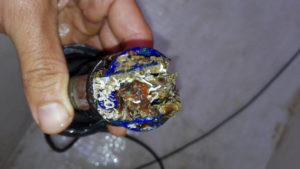
This is what the speed log paddlewheel looks like after a few weeks in the water.
What you need
The blanking plug for your through-hull fitting (it usually comes with the speed log and is kept nearby).
An old toothbrush or a soft brush.
Fresh water and, for hard barnacles, vinegar or a mild descaler.
Silicone grease for the O-rings.
A cloth or towel for the water that comes in while swapping the parts.
Step by step with the boat in the water
Get everything ready before you start. Hold the blanking plug in your hand, next to the through-hull fitting and ready to insert.
Release the lock on the transducer (depending on the model, a nut, a tab or a pin).
Pull out the transducer and insert the blanking plug straight away. A jet of water will come in for a couple of seconds: that's normal, so do it calmly but without pausing.
Clean the paddlewheel: remove the growth with the brush, soak the paddlewheel in vinegar if it's heavily encrusted and rinse with fresh water. Check that it spins freely and without play.
Check the O-rings. If they are cracked, replace them; if they're fine, give them a thin coat of silicone grease.
Refit the transducer in the correct orientation (it usually has a mark or an arrow pointing forward) and put the lock back on.
If it's your first time, it's best to have someone with you and pick a calm day. And never leave the through-hull hole open: either the transducer or the plug must be in place.
At the boatyard
With the boat out of the water it's much easier: you can clean the paddlewheel and the through-hull fitting thoroughly. To keep it clean for longer, use an antifouling paint made specifically for transducers, in a thin coat. Don't use the hull antifouling in thick coats: it can slow the paddlewheel down.
How often should you clean it?
It depends on the water and the time of year. In the Mediterranean in summer you may need to do it every few weeks; in winter it lasts longer. A popular trick: if the boat is going to stay moored for a while, leave the blanking plug in and fit the transducer only when you go sailing. That way the paddlewheel doesn't foul while the boat isn't moving.
Or stop cleaning it
If you'd rather forget about the paddlewheel, the sailoQ cube-micro takes the speed from the GPS and sends it to your instruments as if it were your usual speed log. There's nothing in the water to clean. If your speed log is already playing up, you may be interested in My Raymarine ST60 shows no speed: causes and fixes.
A paddlewheel log and GPS measure different speeds. Knowing the difference helps you choose and understand what you see on the display.
The paddlewheel log measures speed through the water
A traditional speed log measures how fast the water flows past the hull. This is known as speed through the water (STW). If there's a current, the paddlewheel doesn't "see" it.
GPS measures speed over ground
GPS measures how far you move relative to dry land: this is speed over ground (SOG). It includes the effect of the current, which is what really brings you closer to or further from your destination.
When do you notice the difference with a paddlewheel log?
With no current, both are practically the same.
With a favourable current, GPS reads higher than the paddlewheel; against it, it reads lower.
In tidal areas or strong currents the difference can be significant; in most areas it's barely noticeable.
An example: if you're sailing at 6 knots through the water with 1 knot of favourable current, the paddlewheel log will read 6 and the GPS speed log 7. With the same current against you, the GPS will read 5.
For most leisure sailors, speed over ground is the most useful: it tells you when you'll arrive. Speed through the water matters mainly when racing, to trim sails and compare performance, or in areas with very strong currents.
Advantages of a GPS speed log
Always available: there's no paddlewheel to foul or jam.
Zero maintenance and no holes in the hull for the speed log.
It tells you how fast you're really progressing towards your destination, useful for working out arrival times.
sailoQ turns that GPS speed into the same signal a speed log would send, so your existing instruments display it without changing anything.
Want to forget about your speed log? sailoQ cube-micro, available in the shop.